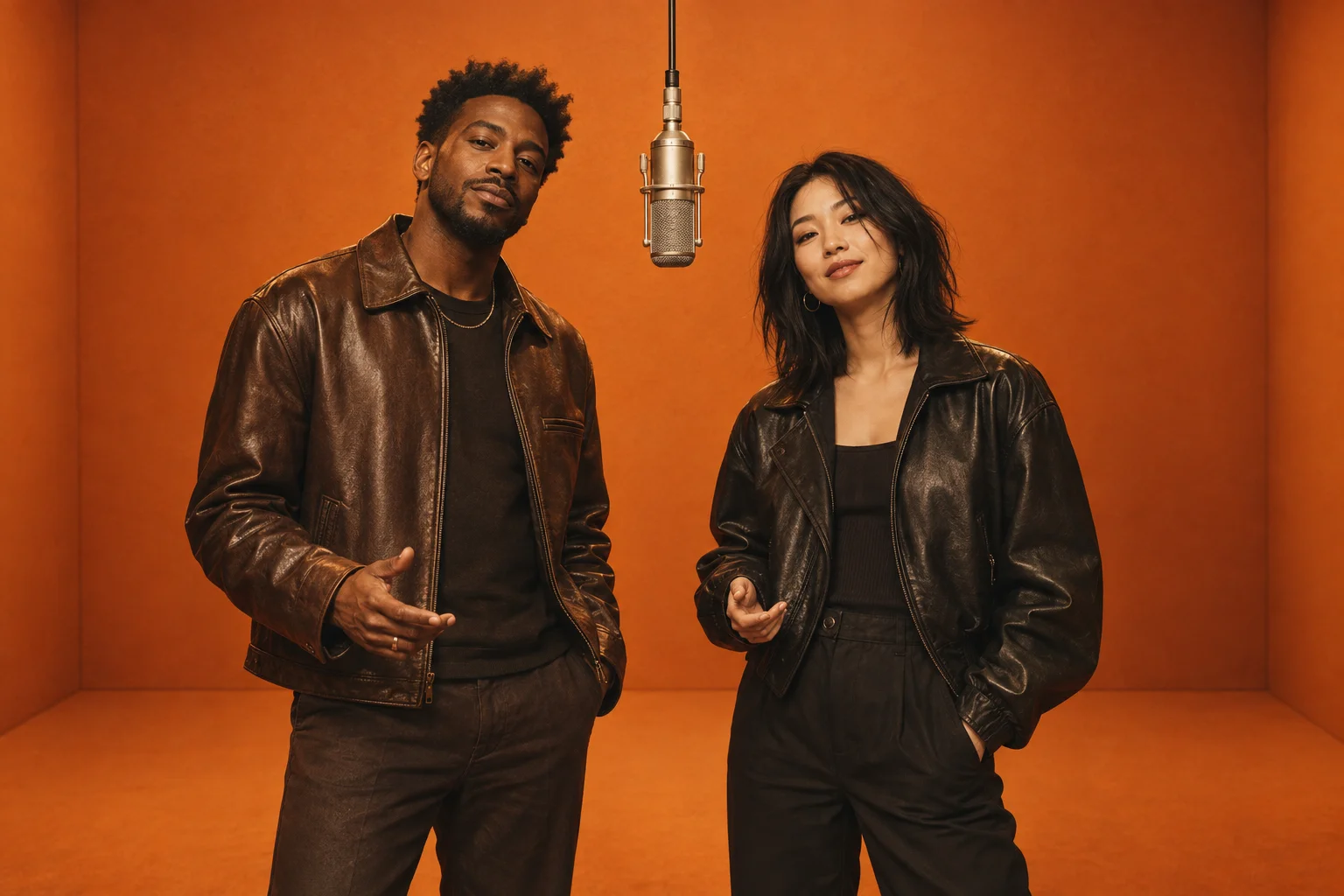
Make a Hotel Lobby AI video from two portraits, inspired by an orange recording booth. Prepare your photos here and check availability before generating.
Two separate photosNo editing skills neededPay with credits
PHOTO TO VIDEO
Create your Hotel Lobby AI video
One clear photo for each performer.
Left performerRight performer
Upload photo
Upload photo
JPG, PNG or WebP · up to 10 MB each
… credits per videoCredits are returned for confirmed failed generations.
Checking generation availability…
Checking your account…
Illustrative scene. Your video will appear here.
The Hotel Lobby AI recording-booth concept
Picture a duo in an orange recording booth. This original illustration shows the setting, not a finished video.
Concept illustration
Illustrative scene only. Your generated video may look different.
The Hotel Lobby AI filter uses two portraits as references for a duo in an orange recording booth.
01
Choose your two performers
Choose one photo per person for your Hotel Lobby AI duo. Place each portrait in its own slot, then swap the pair if you want.
02
Let the scene come together
When Hotel Lobby AI generation is available, sign in and check the credit cost. The preset requests an orange booth, hanging microphone and energetic performance.
03
Review it. Keep your favorite take.
Watch your finished Hotel Lobby AI video and download it. Check both faces before sharing; AI results can vary between takes.
Plan your Hotel Lobby AI performance
Hotel Lobby AI brings two separate portraits into the same imagined performance. You do not need a shared photo, a recording studio or a timeline editor to prepare the pair. Start with the people you want to feature, decide where you would share the clip, and use the checklist below before spending credits on a take.
Choose photos for Hotel Lobby AI
Use recent portraits with similar lighting and a clear view of each face. A head-and-shoulders crop gives the model useful detail without making the person too small in the frame. Avoid screenshots with interface text, strong motion blur and pictures where a hand covers the mouth. For Hotel Lobby AI, two separate files help distinguish the performers. Preview each image at a comfortable size and replace anything you cannot recognize clearly yourself.
An eight-second duo, with room for variation
The Hotel Lobby AI video generator requests the settings below. Its preset describes an orange recording booth, a suspended microphone and two performers moving together. These are requested settings, not a guarantee of a particular gesture, expression or level of face consistency. The illustration above is a concept image. Real generation is currently unavailable, so you can prepare photos while the service is being readied.
Requested video settings
Length
8 seconds
Frame
16:9 landscape
Resolution
720p
Ideas for your Hotel Lobby AI video
Choose a friend for a birthday greeting, pair up with your partner for a playful keepsake, or prepare a duo with a collaborator who has agreed to take part. A Hotel Lobby AI filter can provide the visual starting point for a short social post. Decide on the message before generating: a simple greeting or caption can give the scene context. Get permission from both people and make clear that the performance was created with AI.
Review, download and share your take
After a Hotel Lobby AI task completes, watch the whole clip before downloading. Check whether the faces remain distinct, whether hands move naturally and whether either person changes unexpectedly between frames. Listen to any generated audio as well. Keep the downloaded original before making edits. For a vertical post, check the crop so both performers remain visible; a wide scene may need a background rather than a tight crop. Add captions or permitted music in your preferred editor.
Content reviewed:
HOTEL LOBBY AI CREDITS
Arrange photos at no cost. Use credits to generate.
Choose, preview and arrange your photos in your browser. No credits are used until you submit a video generation. Selecting files does not send them to the video provider. Upload happens when you submit a generation request, so take time to check both portraits carefully first.
Credits for Hotel Lobby AI generation02
The generator shows the credit cost before you start. Video generation requires enough credits in your account; any available purchase options appear in your account.
Confirmed failed Hotel Lobby AI generations return their credits. A completed video can vary in likeness, movement and timing.
One-time video credit packs
Checking purchase options…
Make your first Hotel Lobby AI video
Start with the right photos and understand the cost before submitting a duo performance.
It is a photo-to-video effect inspired by the orange-booth duo performance trend. Upload two portraits, and AI uses them as references to create a new performance. This is an independent tool, not an official music or artist product.
Can I use Hotel Lobby AI free?
Hotel Lobby AI free photo setup lets you choose and preview two portraits in your browser at no cost. Generating a video uses credits, with the cost shown before submission. Signing up does not automatically include free credits.
Which photos work best for Hotel Lobby AI?
Use one clear, front-facing photo of each person, with even lighting and no heavy filters. JPG, PNG and WebP files up to 10 MB each are supported. Only upload photos you have permission to use.
Will Hotel Lobby AI keep both faces recognizable?
Two separate reference photos help the model distinguish the performers, but exact likeness is not guaranteed. Facial details, gestures and framing may change. Review your result before you share it.
Can I add music to a Hotel Lobby AI video?
A licensed recording of the original Hotel Lobby song is not included. The generated clip may contain original AI audio. If you add music later, use audio you own or music available through your social platform’s licensed library.
What happens if my Hotel Lobby AI generation fails?
The page shows the job status while it runs. Credits are returned when the provider confirms a failed generation. If a request is still being checked, keep the task open instead of submitting the same job again.
Can I use Hotel Lobby lyrics in the video?
This tool does not supply the full song lyrics or guarantee a performance of a specific song. The clip may use original AI audio. Add music and captions you have permission to use in your editor or your social platform.