
What is the Hotel Lobby trend?
The Hotel Lobby trend turns a recognizable two-person performance into a new cast: you and a friend, partners or another consenting adult pair. Here is what the format means, which workflow fits it, and what to check before making a video.
The orange-booth format behind the trend
The visual reference is Quavo and Takeoff's Hotel Lobby performance on the official COLORS channel. Two performers share a simple orange setting and a suspended microphone. That minimal scene makes the interaction easy to recognize: one person performs while the other reacts, gestures or joins in. The song title names the trend; the recognizable setting is a performance studio rather than a hotel reception desk.
An AI remake uses that general visual idea with a different pair. The appeal comes from seeing familiar people together in an unfamiliar performance. On this site, the preset asks for a new orange-booth duo clip using two portrait references. It does not replace the faces in the original recording or supply the artists' actual voices. Hotel Lobby is an independent website, with no affiliation or endorsement from the artists, COLORS or the recording's rights holders.
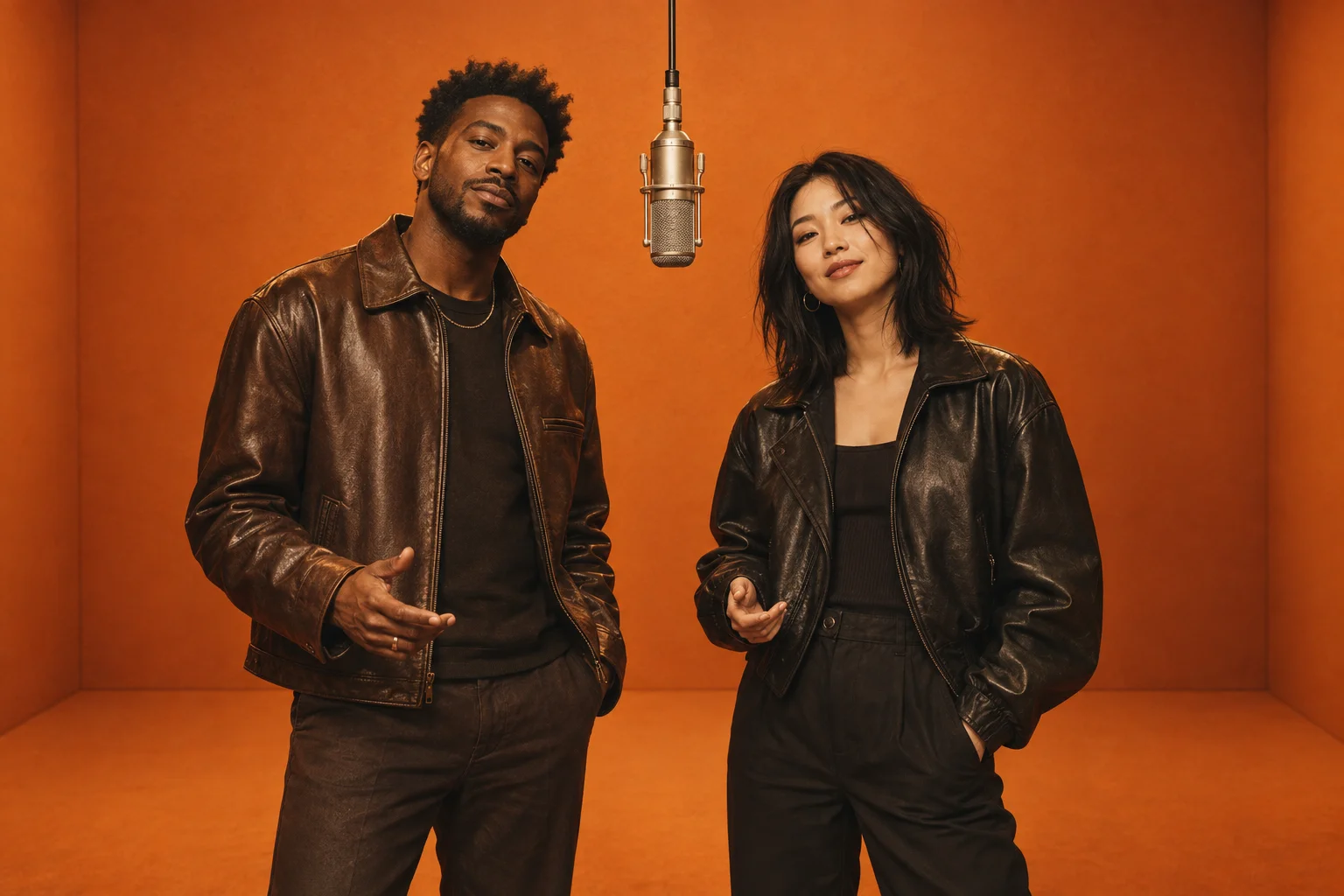
Illustrative stage artwork. The generated scene and facial details can vary.
AI video, filters and editing templates: choose the right workflow
These search terms describe related goals, but they can lead to different tools. Decide what you actually need before preparing files or buying credits.
- A Hotel Lobby AI video generator creates a new moving clip from your photos. A preset provides the scene, so you do not have to write a scene prompt. Our homepage generator uses this workflow.
- An AI filter can mean a still-image effect or a video effect. If you want motion, confirm that the output is a video rather than an orange-background picture. Our filter guide covers the two-photo video setup.
- An editing template arranges clips, transitions and sound on a timeline. It may need an existing video as its input. A template does not necessarily generate a recognizable performance from two portraits.
- Motion transfer starts from reference footage and attempts to transfer its movements. Our homepage does not offer a source-video upload. Do not prepare a copyrighted performance file expecting to submit it here.
For a first attempt, the two-photo route keeps preparation straightforward. If precise choreography or word-by-word lip synchronization is essential, a preset generation alone may not meet your needs. Review that requirement before committing to a paid render.
What your two reference photos control
The photos help guide each performer's appearance. They do not specify an exact camera path, choreography or soundtrack. Choose one consenting adult per image, with a clear face and similar levels of detail. The two photos can come from different occasions; matching the lighting and face angle makes them easier to assess as a pair.
A useful comparison is a bright, front-facing portrait versus a cropped screenshot of a distant group photo. The portrait contains visible eyes, mouth shape and facial edges. The screenshot may contain too little information even if its file dimensions are large. Enlarging the screenshot does not restore the missing detail.
The order of the slots helps communicate which reference belongs to each performer. It is a starting instruction, not a promise that a person will remain on one side in every frame. Check both identities throughout the completed clip. Our step-by-step tutorial explains preparation, submission and the final review.
Duo ideas that work without impersonating someone
Start with the relationship between the two people. A pair of friends with contrasting styles, partners in coordinated outfits, or adult teammates celebrating a shared milestone can make the concept understandable without a long caption. Ask both participants whether they are comfortable with their photos being used in an AI performance and with the intended audience seeing it.
Keep the first version simple. Two sharp portraits are more useful than elaborate costumes that hide a face. Glasses with dark lenses, masks and strong shadows obscure details the model needs. A new outfit or a different reaction in the result can be part of the fictional performance; a face becoming unrecognizable is a reason to reconsider sharing.
Write a caption that frames the video as an AI creation, such as “Our imaginary studio debut.” Avoid presenting it as evidence that a person really performed, spoke or endorsed a product. The acceptable use policy sets the boundaries for uploads and generated content on this site.
Free preparation, paid generation and realistic expectations
You can select and inspect two photos in the homepage form without generating a video. A local photo preview shows your input files; it is not a free rendered clip. When generation is available, the form shows its current credit requirement and requires sign-in. Check its availability before purchasing credits or planning a deadline around a video.
The preset supplies creative direction, but AI output can vary in facial detail, hands, movement and sound. A completed clip that needs editing is different from a provider-confirmed failed task. Do not assume that every disappointing result receives an automatic credit return. The free-options guide explains preparation, credits and confirmed failures.
Audio is a separate decision. An AI clip may contain original generated sound; it does not include a licensed copy of the Hotel Lobby song. If you want a particular soundtrack, read the song and audio guide before posting. Keep a copy of the exported clip before making further edits.
Common questions about the Hotel Lobby AI trend
Is “trend hotel lobby” a different effect?
It is another wording of the same search intent. Use the orange-booth duo format as your reference, then choose between a generated video, a still image and an editing workflow. You do not need a separate template for every wording of the trend's name.
Do I need the original Hotel Lobby video?
Our preset needs two separate portrait photos. It does not ask for the original performance video, and supplying that recording would not give you permission to reuse it. The official performance link above is for understanding the visual reference.
Can I make a video with a celebrity or someone who has not agreed?
Use your own photos or photos of consenting adults you have permission to upload. Do not use the workflow to impersonate someone or make misleading claims about their actions. Choosing a recognizable pair does not replace the need for consent.
Where should I start if I already understand the trend?
Go to the two-photo tutorial, prepare the references, and check the homepage for current generation availability. There is no need to download a separate app or buy a template just to inspect the photo form.